Reverb is how you turn a flat, dry mix into something that breathes. It's the difference between a vocal sitting on top of the speakers and a vocal that lives in a room with everything else.
The market's crowded right now, and it keeps moving. New algorithmic engines show up every quarter, convolution libraries keep growing, and AI-assisted reverb is starting to poke its head out too. That's a lot of noise, but here's the good news: great reverb has never been more accessible than it is today.
These are five plugins worth your time, spread across algorithmic, convolution, and one genuinely great free option. Treat this as a set of consensus favorites, not a strict ranking carved in stone. Trust your ears — they're the only judge that matters.
TABLE OF CONTENTS
Algorithmic vs. convolution (and why it matters)
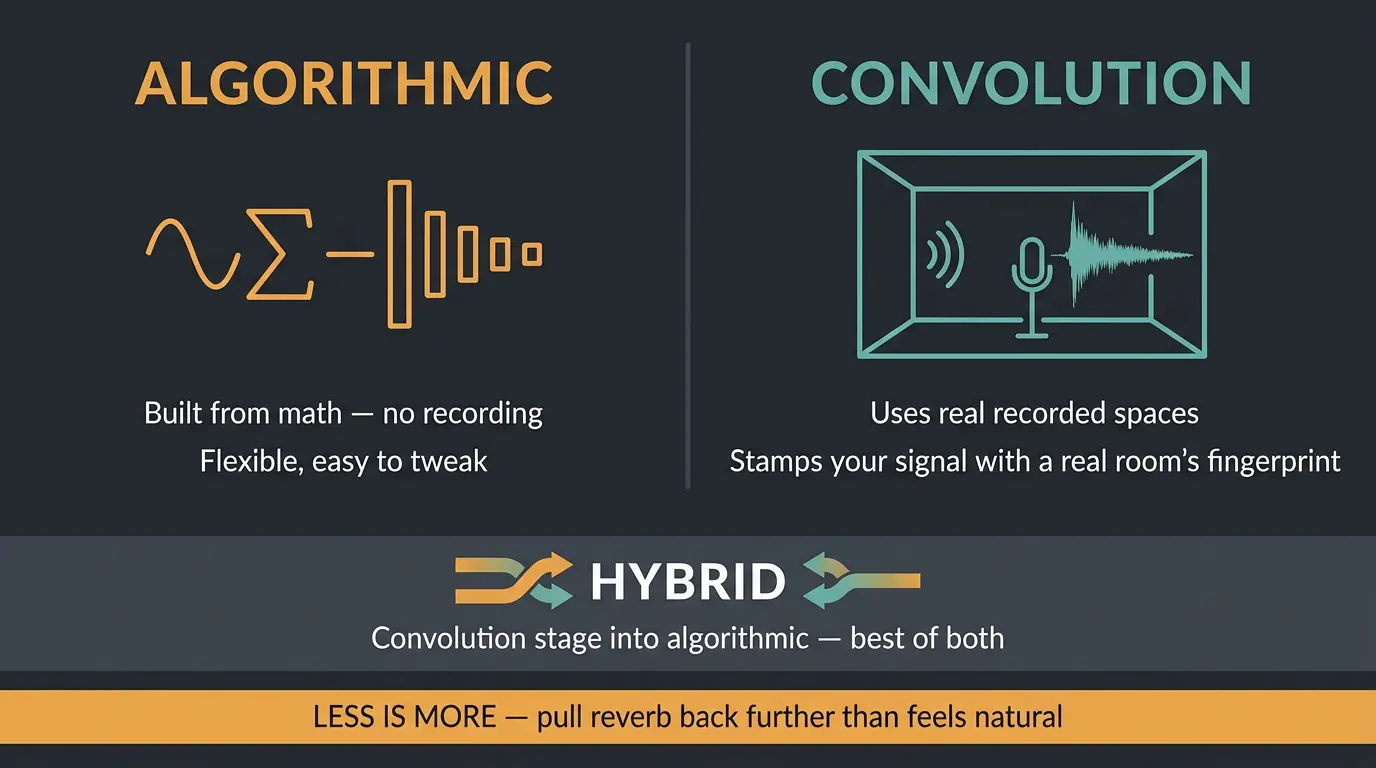
There are two main ways a plugin makes reverb, and knowing the difference helps you pick the right tool.
Algorithmic reverb uses math to simulate the reflections and decay of a space. Nothing was recorded — the plugin builds the tail from scratch. That makes it flexible and easy to tweak on the fly.
Convolution reverb uses impulse responses, which are actual recordings that capture how a real room or piece of hardware behaves. You're basically stamping your signal with the fingerprint of a real space.
Hybrids are common now too. Ableton's Hybrid Reverb, for example, runs a convolution stage into an algorithmic one so you get the best of both. The picks below split across these categories, so there's something here no matter how you like to work.
One thing before we go further: less is more. It's easy to drown a mix in reverb because it sounds lush on a solo'd track. Pull it back further than feels natural and the mix will thank you.
FabFilter Pro-R 2
#1
Best Overall
FabFilter Pro-R 2
Pro-R 2 is the biggest reverb release since the last time we covered this topic, and it's the one I reach for most on serious mixes. It gives you three core algorithms: realistic physical spaces, a Vintage mode that nails those bright, long, hyper-real digital tails from the '80s and '90s, and a Plate mode that sounds fantastic on drums and vocals.
The headline feature is IR import. You can load an impulse response file and Pro-R 2 will analyze it and recreate it as an algorithmic preset. Now, let me be straight with you here — FabFilter themselves call this an approximation, not an exact clone, and in practice the accuracy is a bit mixed. It's a genuinely clever idea, just don't expect it to perfectly replace a dedicated convolution plugin.
Everything else is where it really earns its spot. You get Thickness, Ducking, and an Auto Gate, plus the stepless Space control that smoothly blends the room model and decay time in one move. And it handles immersive audio all the way up to 9.1.6 Atmos, with per-band decay and post EQ routing. If you want one flexible reverb that does almost everything well, this is it.
Pros
- Three strong algorithms cover realistic spaces, vintage digital, and plates
- Stepless Space control makes dialing in a sound fast and intuitive
- Full immersive audio support up to 9.1.6 Atmos
- Clean, readable interface that's a joy to use
Cons
- IR import accuracy is inconsistent and won't replace true convolution
- The deep feature set can be more than a beginner needs
Valhalla VintageVerb
#2
Best Value
Valhalla VintageVerb
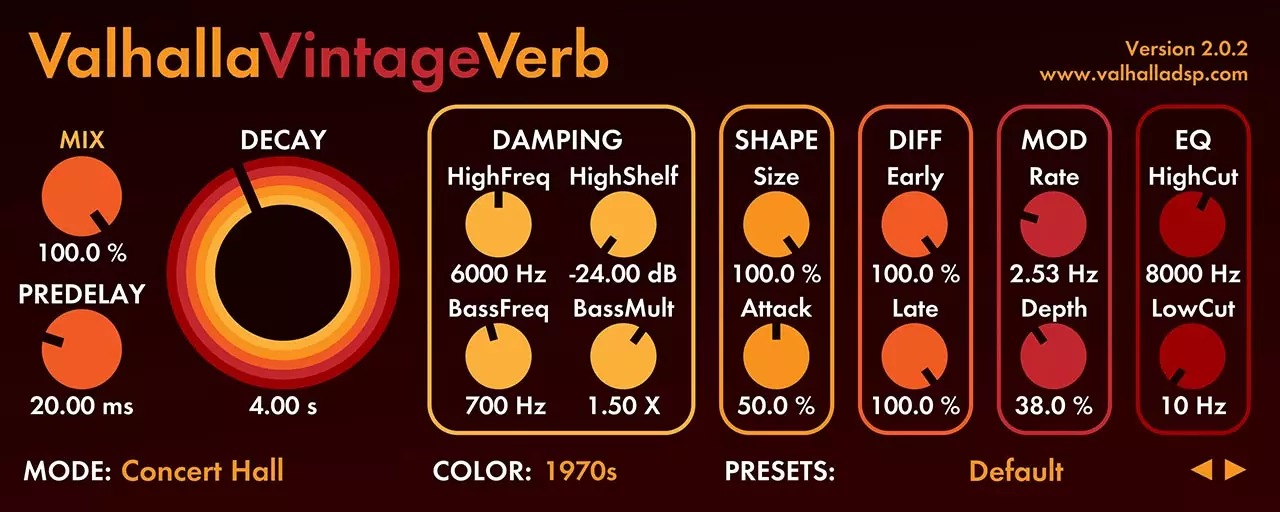
VintageVerb recreates the character of classic digital reverbs from the '70s and '80s, and it's earned a permanent slot in a huge number of pro sessions. Nine modes take you from tight rooms all the way out to vast concert halls, each carrying that slightly dark, slightly colored tone that makes those old units so musical.
What I love about it is how little it asks of you. There's no wall of parameters to fight through — you pick a mode, set your size and decay, and it just sounds good. That kind of speed matters when you're mixing a full record and don't want to lose an hour on one reverb send.
It's not the tool for pristine, transparent tails, and it's not trying to be. This is character reverb, and if that colored, vintage vibe is what you're after, few things get you there faster. A lot of engineers keep it loaded for exactly that reason.
Pros
- Rich, musical vintage character out of the box
- Fast and simple to dial in — great for full mixes
- Nine modes cover a wide range of spaces
Cons
- Colored by design, so not your pick when you want fully transparent reverb
Valhalla Supermassive
#3
Best Free
Valhalla Supermassive
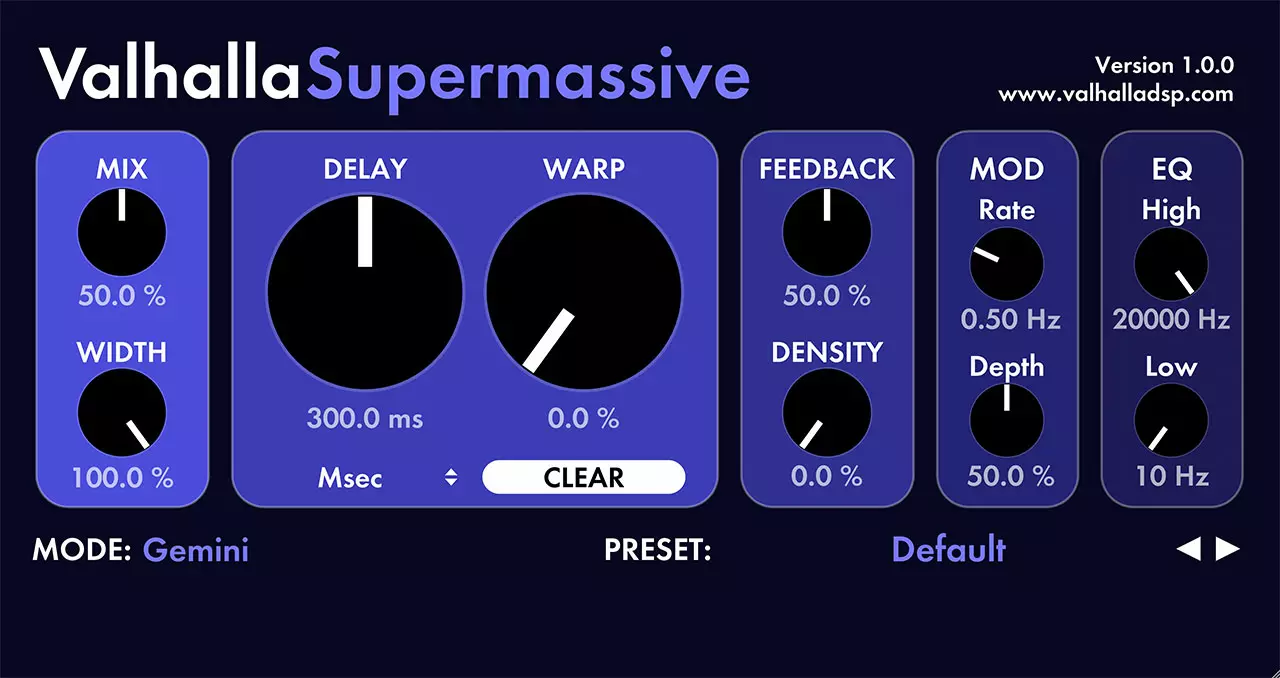
Supermassive is completely free, no strings attached. It packs 22 reverb and delay modes built on feedback delay networks, with delays reaching up to two seconds. That makes it a monster for ambient pads, cinematic tails, and anything you want to send off into the stratosphere.
Here's the honest part: a free plugin holding its own next to paid options is genuinely notable. This isn't a stripped-down demo trying to upsell you — it's a real, capable reverb that plenty of working folks actually use. Free stuff this good doesn't grow on trees, but Supermassive is out here doing its best impression.
It leans creative rather than natural, so it's not the pick for a realistic room on a vocal. For lush, evolving space, though, it punches way above what a price tag of zero should allow.
Pros
- Completely free with no catch
- 22 modes and delays up to two seconds — huge creative range
- Excellent for ambient and cinematic tails
Cons
- Built for creative space, not natural, realistic rooms
LiquidSonics Seventh Heaven
#4
Best Convolution
LiquidSonics Seventh Heaven
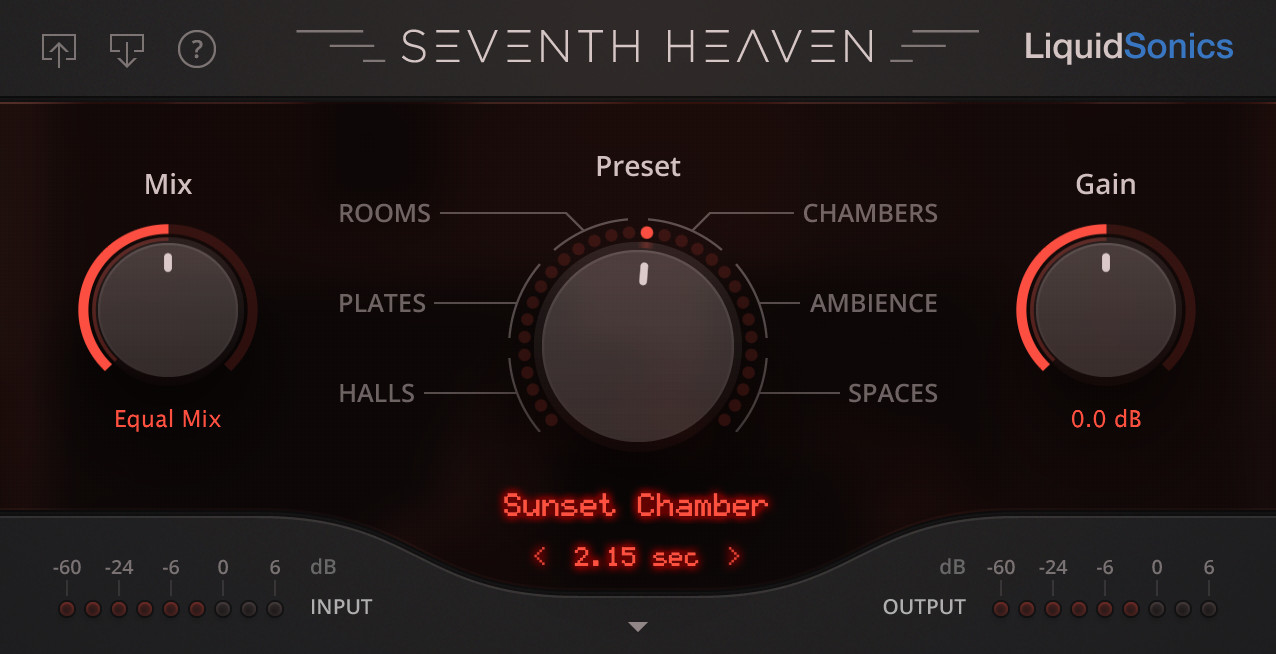
Seventh Heaven brings the coveted Bricasti M7 hardware reverb into software, and it captures that natural, lush, smooth, transparent sound the original is famous for. If you've ever wanted an M7 sitting in your rack, this gets you remarkably close for the cost of a plugin instead of a plane ticket to a studio that owns one.
The magic is LiquidSonics' Fusion-IR technology. Instead of loading one static snapshot of a reverb, it tracks the sound's behavior from the early reflections all the way through to the tail. The result is a reverb that evolves and moves the way real hardware does, rather than sitting there frozen like a normal impulse response.
This is also a good moment to say the quiet part out loud: plugins match hardware now. The old "you need real gear" line is done. Seventh Heaven sounds like a Bricasti because the modeling is that good, and if you want even deeper convolution control, LiquidSonics' Reverberate 3 lets you modulate, EQ, and reshape impulse responses like they were algorithmic.
Pros
- Captures the natural, lush Bricasti M7 sound convincingly
- Fusion-IR gives an evolving tail, not a static snapshot
- Genuinely a case of a plugin matching classic hardware
Cons
- Focused on that one lush character rather than wild versatility
Baby Audio Crystalline
#5
Best for Modern Sound Design
Baby Audio Crystalline
Crystalline is a modern algorithmic reverb built on an allpass loop algorithm, which gives it its own distinct sonic fingerprint. It's a clean, contemporary take on the classic digital studio reverbs, with a ton of control over your reflections.
You get 15 creative parameters to shape the character, DAW-synced pre-delay and decay, an onboard ducker, flexible filters, low-end taming, harsh-frequency smoothing, and imaging controls. The standout now is the Warp parameter, which replaced the old transient detection feature. Warp shapes the reverb's dynamic profile by shifting transient emphasis toward the attack or the sustain, and it shines on percussive material where you want the tail to react in a specific way.
For sound design it also brings freeze, reverse, shimmer, and modulation, so it goes well past a plain room when you want it to. The preset library sits at 300-plus now and it's finally organized by purpose and instrument, which makes it far quicker to find a starting point. For more detail, MusicRadar's Baby Audio Crystalline review digs into the sound in depth. If you like shaping transients elsewhere in your chain, it pairs nicely with a dedicated transient shaper plugin.
Pros
- Clean, modern algorithmic character with a distinct fingerprint
- Warp parameter adds real dynamic control, great on percussion
- Freeze, reverse, shimmer, and modulation for sound design
- 300+ presets now organized by purpose and instrument
Cons
- Leans modern and creative — less of a vintage or natural-room specialist
| Plugin | Type | Best For |
|---|---|---|
| FabFilter Pro-R 2 | Algorithmic (with IR import) | One flexible reverb for serious mixing |
| Valhalla VintageVerb | Algorithmic | Fast, musical vintage character |
| Valhalla Supermassive | Algorithmic (free) | Ambient and cinematic tails on any budget |
| LiquidSonics Seventh Heaven | Convolution | Lush, natural Bricasti-style space |
| Baby Audio Crystalline | Algorithmic | Modern sound design and creative reverb |
Frequently Asked Questions (FAQs)
What's the difference between algorithmic and convolution reverb?
Algorithmic reverb uses math to simulate a space's reflections and decay from scratch, while convolution reverb uses impulse responses recorded from real rooms and hardware. Algorithmic is more flexible and easy to tweak; convolution can sound more true to a specific real space. Both are great — it comes down to the sound you want.
Do you still need hardware reverb?
No, you don't need hardware reverb anymore. Modern plugins match classic units so closely that the old "real gear only" argument is done. Something like Seventh Heaven captures the Bricasti M7 convincingly, in the box, with total recall. Hardware is a preference now, not a requirement.
Is a free reverb like Supermassive actually good enough for pro work?
Yes, Valhalla Supermassive is good enough for professional work, especially for ambient and cinematic tails. It's a real, capable plugin used in real sessions, not a crippled demo. It leans creative rather than natural, so pair it with a room reverb when you need realism, but it absolutely earns a spot.
How much reverb is too much?
If you can clearly hear the reverb as a separate effect in the full mix, you've probably used too much. Less is more here. Dial it in on the solo'd track, then pull it back further once everything's playing together — reverb almost always sounds louder in a mix than you think.
Should you use one reverb across the whole mix or several?
Use a few reverbs on separate sends rather than one across everything. A short room to glue things and a longer hall or plate for vocals and leads is a great starting point. Sharing sends keeps elements sounding like they're in the same space while still giving you control over each.
Final Thoughts
If you only grab one, FabFilter Pro-R 2 does the most for the most people. But VintageVerb for character, Seventh Heaven for that lush convolution sound, and Crystalline for creative work all earn their keep — and Supermassive proves you don't need to spend a thing to get real, usable space.
The best reverb is the one that gets your mix breathing without you noticing it's there. Load a couple of these up, keep your sends modest, and trust your ears. That's the whole game.
Some of the links within this article are affiliate links. These links are from various companies such as Amazon. This means if you click on any of these links and purchase the item or service, I will receive an affiliate commission. This is at no cost to you and the money gets invested back into Audio Sorcerer LLC.